Description
Problem
When one person is presenting on whiteboard, it is hard to follow the presentation since I can't follow presenters cursor.
Solution:
Add Follow User action in Whiteboard
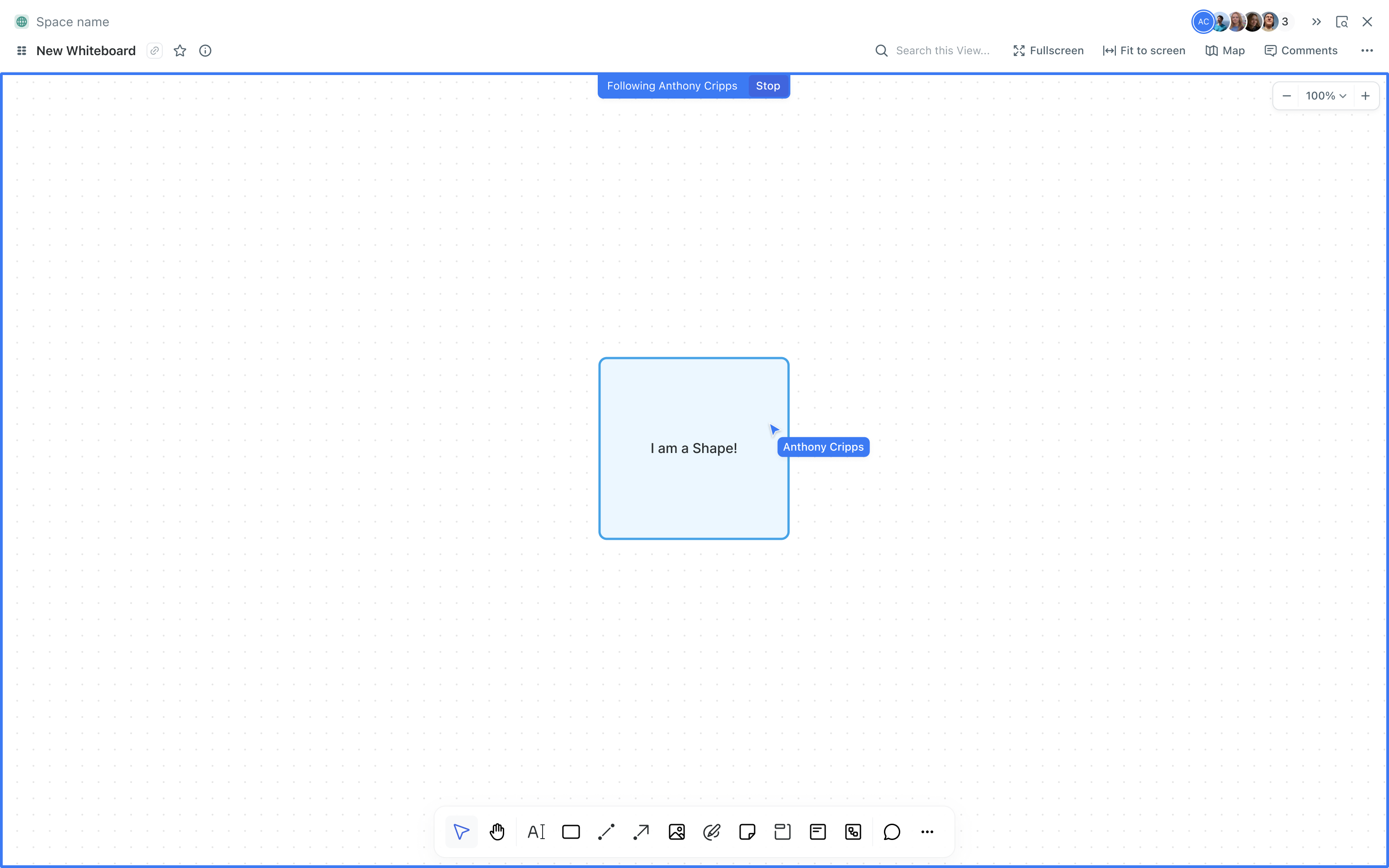
The Follow User feature enables users to visually follow another user’s actions in real-time on the whiteboard. This ensures better collaboration, especially during presentations or team discussions.
Follow flow
Avatar and User list components update
We’re adding a colored border (based on user color) around the followed user’s avatar to synchronize it with their cursor and follow notifications (border around the follower canvas)
Clicking on the avatar automatically enables following the user, while a second click disables it. We will add the additional text to the tooltip: "Click to follow/unfollow"
When following a user, we place their avatar in the first position on the left (If a user chooses someone to follow from the user list, we should also place that avatar in the first position on the left in the toolbar)
Adding actions "View profile" "Follow" to the user list
🦄 Users list
Figma mocks
https://www.figma.com/design/wZlrqQ7MNLP4vvWWecXM3I/PA---Whiteboard?node-id=111-27081&t=Su1hSPdTpDNKqQij-1